
Every spring, I start getting service calls that sound something like this:
“Joseph, my AC is running, but my electric bill already feels high… and it’s not even summer yet.”
Most of the time, the system itself isn’t the problem.
It’s the thermostat settings.
After years of working in Texas homes, I can tell you this: small thermostat adjustments in spring can make a noticeable difference in both comfort and energy bills.
So let’s talk about the best thermostat settings for spring in Texas to lower cooling costs, based on what I actually recommend during real service visits.
What I Recommend Most Homeowners Set Their Thermostat To
When I’m in a home doing a spring maintenance check, this is the baseline I usually suggest:
- At home (daytime): 74–76°F
- Away from home: 78–80°F
- Sleeping: 72–74°F (if comfortable)
Now, these aren’t random numbers.
They’re based on balancing:
- Comfort
- Energy efficiency
- System workload
I’ve seen homeowners keep their thermostat at 70°F in spring thinking it’ll cool faster but all it really does is make the system run longer and drive up energy use.
A Real Example From a Spring Service Call
Not long ago, I visited a home in Montgomery where the homeowner said their AC “never shuts off.” When I checked the thermostat, it was set to 69°F during the day.
The system wasn’t broken, it was just constantly trying to hit a temperature that wasn’t realistic for spring conditions.
We adjusted it to 75°F, and within a day, they noticed:
- Shorter run times
- More consistent cooling
- Lower strain on the system
Sometimes the fix isn’t mechanical, it’s behavioral.
Why Spring Settings Matter More Than You Think
Spring in Texas is unpredictable. Cool mornings, warm afternoons, humidity creeping in, your AC cycles more frequently during this time.
If your thermostat is set too low:
- The system runs longer than necessary
- Components wear out faster
- Energy bills increase early in the season
Setting it correctly now helps your system transition smoothly into summer.
Should You Use a Programmable or Smart Thermostat?
From what I’ve seen, homeowners who use programmable thermostats tend to have fewer issues with energy waste.
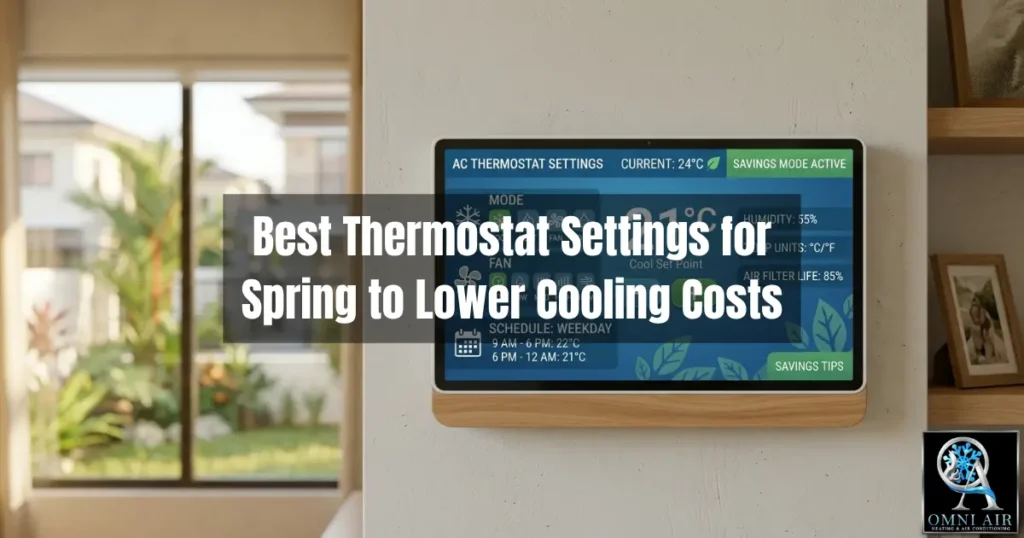
A simple schedule like this works well:
- Morning (home): 74–75°F
- Midday (away): 78–80°F
- Evening (home): 74–75°F
- Night: 72–74°F
Smart thermostats can adjust automatically based on your habits, which helps avoid unnecessary runtime.
One Mistake I See All the Time
Here’s something I see often:
Homeowners constantly adjusting the thermostat throughout the day.
Turning it way down when it feels warm doesn’t cool your house faster, it just makes your system run longer.
Your AC cools at the same rate regardless of the setting. The goal is consistency, not extremes.
How Thermostat Settings Affect Your AC System
From a technician’s perspective, thermostat settings directly impact:
- Compressor lifespan
- Energy consumption
- Airflow balance
- Humidity control
When your system runs longer than necessary, every component works harder and that’s when wear and tear starts to show.
Why Choose Omni Air for HVAC Maintenance
At Omni Air & Heating LLC, we don’t just inspect systems — we help homeowners optimize how they use them.
✔ System Performance Checks
We evaluate how your AC is running under real conditions.
✔ Efficiency Optimization
We help adjust settings and identify ways to reduce energy usage.
✔ Preventative Maintenance
We catch early signs of wear before they turn into breakdowns.
✔ Local Texas Expertise
We understand how temperature swings and humidity impact AC performance in this region.
Sometimes lowering your energy bill isn’t about replacing your system, it’s about using it smarter.
Frequently Asked Questions
1. What are the best thermostat settings for spring in Texas to lower cooling costs?
The best settings are typically 74–76°F when at home, 78–80°F when away, and 72–74°F at night, depending on comfort preferences.
2. Does lowering the thermostat cool the house faster?
No. Lowering the thermostat does not speed up cooling. It only causes the system to run longer.
3. Should I turn off my AC when I leave the house?
It’s better to raise the temperature rather than turn it off completely, as this helps maintain indoor comfort and reduces system strain.
4. Can thermostat settings affect energy bills?
Yes. Even a 1–2 degree adjustment can significantly impact energy consumption over time.
5. Is a smart thermostat worth it in Texas?
Yes. Smart thermostats help automate temperature control and improve efficiency, especially during fluctuating spring weather.
Final Thoughts
From what I’ve seen in Texas homes year after year, thermostat settings play a bigger role than most people realize.
If you’re trying to find the best thermostat settings for spring in Texas to lower cooling costs, start simple:
Set it higher than you think, keep it consistent, and let your system do its job efficiently.
Because once summer hits, your AC will already be working hard and the last thing you want is to start the season at a disadvantage.
Recent Articles:

Joseph Miller is the owner and lead Heating & Air Conditioning Specialist at Omni Air & Heating LLC, proudly serving Montgomery, Texas and surrounding communities since 2020. Joseph brings hands-on experience diagnosing, repairing, and installing residential and light commercial heating and cooling systems. His expertise includes air conditioning systems, heat pumps, furnace repair, system replacements, ductless mini splits, and indoor air quality solutions designed for the unique climate conditions of Southeast Texas.
0 Comments